Back in April I picked up the Oppo Find 5. A solidly built 5-inch Android phone with a 13 megapixel camera, large battery capacity, and high resolution screen. At first glance, it looks something like a model out of the Sony Xperia line with its clean, sleek look with bold lines and all glass face plate. This substantially large phone is out to impress with a big risk in carrying an unknown brand.
For a new player to launch this kind of offensive on the crowded smartphone market is more than brave, perhaps even foolish, but the Find 5 doesn’t seem to break a sweat on the challenge.
Oppo is perhaps better known to some as a consumer electronics company or as a maker of Blu-Ray players but for most people, it’s an entirely unknown brand with no reputation to speak of. Then they went and launch a high end Android smartphone with a funny name and “premium” pricing. Naturally, red flags went up on people’s minds.
Just about everyone I met since I got the phone wanted to know about the phone. They all gushed about the screen, the responsiveness, the sturdy build and premium-looking design, but when they found out about the brand and the price, pretty much all of them looked at me in disdain. Almost everyone said, “Why should I pay that much for a Chinese phone? So expensive”.
The Jelly Bean-powered Oppo Find 5 sells for Rp 5.5 million in Indonesia, roughly USD 550. When people hear about a Chinese branded phone, they generally think of low cost knock offs, phones that cost between $150-250 with low end or mid-range specs. The reaction they gave when they hear $500 for a Chinese phone is perhaps similar to finding out that you have a contagious skin disease.
Never mind that the Find 5 is in the same class as the Xperia Z and ZL which is just above the Nexus 4 and better than the Galaxy S3. Never mind that the Find 5 is still cheaper than any of the other phones mentioned, save the Nexus 4, which goes for Rp 5 million on standard retail price.
But let’s step past the name, origin, and the price for a moment and take a look at what this phone offers. The Oppo Find 5 is sold as a powerful, high end Android smartphone with a more affordable pricing.
Packaging
In releasing the phone, Oppo wants to deliver a premium phone experience to a greater range of consumers. This intention can’t be more evident than from the packaging that the Find 5 comes in.
Aside from Apple, Nokia had been the only other mobile device manufacturer that takes great care in how its products are packaged. Both companies carefully pack their devices and their accompanying accessories as well as printed documents inside a packaging that brings delight to those who receive and open them. With the Find 5, Oppo joins that exclusive club.
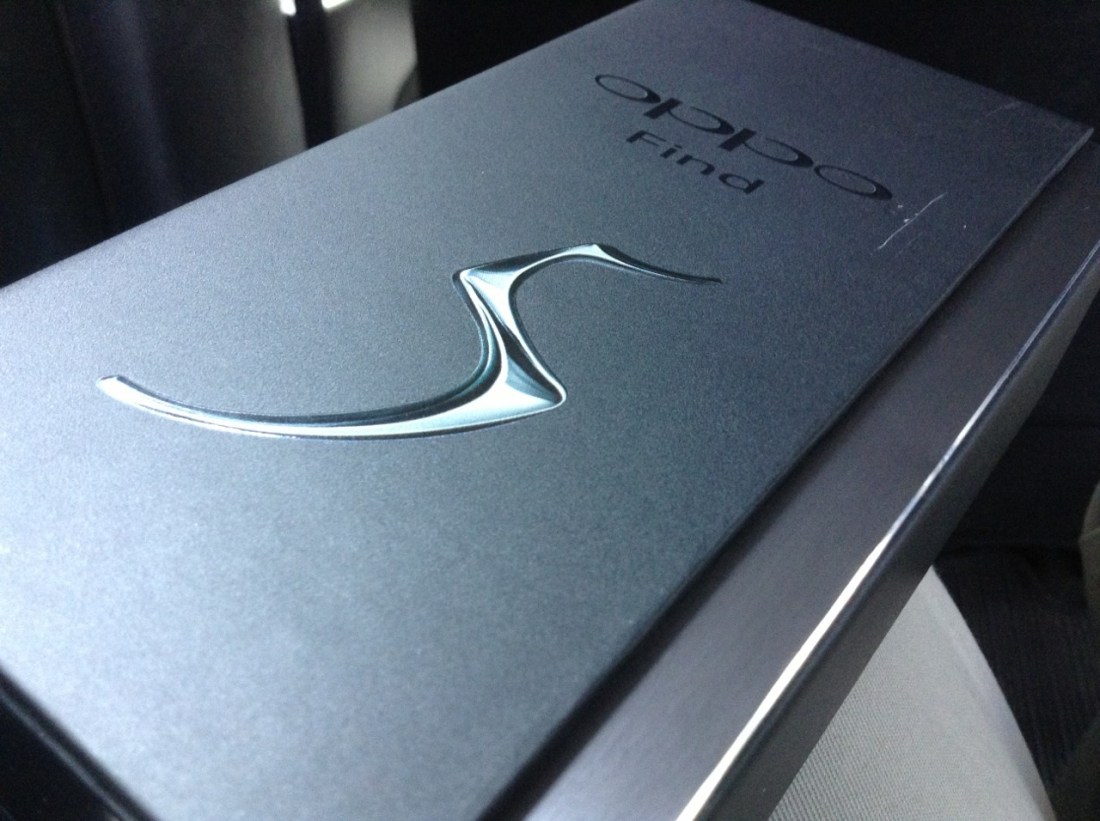
The clean, matte black box with glossy patterned ends and a magnetic seal across the side of the top really sets it apart from many other smartphone packaging and raised the bar significantly for most other manufacturers. Upon seeing this box, it’s fair to say that the content had to be equally impressive or the entire experience would greatly suffer.
Physical
The back of the box reveals some specification details of the phone. Technically named Oppo X909, it has a 5-inch full high definition screen packing 1920 x 1080 pixels, which gives it a screen density of 441 ppi, the second highest ever released on a mobile device, highest being the HTC One at 468ppi.
Before you even open the box, you’ll know the screen will give you very sharp and very detailed images. The viewing angle is very wide and you won’t see color desaturation or shift even at sharp angles. Color reproduction is very clear and vivid with great contrast, and video playbacks look great. It’s brilliant.
In terms of physical attributes, the Find 5 weighs 165 grams, with a dimension of 141.8 x 68.8 x 8.8 millimeters. Because of the 5-inch screen, the phone is taller than the 4.5-inch Lumia 920 which I dub the aircraft carrier because it is so large and heavy, but it is also thinner, lighter, and slightly narrower. Perhaps the moniker will have to change now.
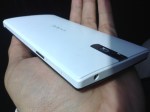
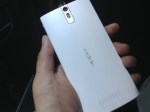
The two tone look with a flat black screen and curved white plastic back gives the phone a very polished professional look. The surface is very clean save for the volume buttons on the right side of the phone, the power button on the opposite side, a 3.5mm audio jack on top and the micro USB port at the bottom. On its back, you’ll find the primary camera perched on top of its double flash LEDs with the speaker grille positioned at the other end. Oppo’s branding is curiously placed horizontally which can easily be misread as Oddo when held the other way around.
Make no mistake, the phone is large but the fact that it’s quite thin with a curved back makes it much easier to handle. The physical button positioning feels perfect but when you want to operate the phone using the soft buttons located right underneath the screen, you have to slide the phone up a little bit to adjust your grip unless you have large hands.
Unfortunately the soft buttons are a little too close to the spacebar when the keyboard is up so when hitting the space bar it’s easy to mistap and hit the home button instead.
Internal
The Find 5 is powered by a 1.5GHz quad core Snapdragon S4 Pro processor, coupled with Adreno 320 GPU and 2GB of RAM. The battery is a very capable non-removable 2500mAh slab which gives the phone two days of light use or one day of standard active use on a single charge. With my typical use however (always on Twitter and Path), 10 hours is the absolute most it will last on a single full charge.
The phone holds 16GB of storage space, with 12.5 GB available for use. According to Phone Storage in the Settings app, it has 2GB of internal phone storage and 10.5GB of phone memory or phone storage.
With the phone entirely enclosed, there’s no way to add more storage through an SD card. Strangely there is an option to erase SD card contents within the storage settings, although it may well have been left there as part of a standard Android feature. In any case, 12.5GB is all the space you’re given with the Find 5 unless you happen to pick up the 32GB model.
Connectivity
The Find 5 runs on multi-band WCDMA and GSM frequencies, covering 850, 900, and 1900 MHz for both networks, as well as 1800 MHz for GSM and 2100 MHz for WCDMA. It’s world phone that will work just about anywhere on the planet over a GSM or 3G/HSPA network.
Lack of LTE is not much of a disappointment at this stage but in the few markets with LTE coverage, it’s a slight handicap. With NFC, Bluetooth 4.0, Wi-Fi a/b/g/n, DLNA and FTP support, it’s got enough for speedy data transfers and to serve as an entertainment console. The two NFC stickers included in the package, can be used to trigger certain predetermined actions such as sending the display to a compatible TV, changing profile settings, launching certain apps, and so on.
Cameras
The Find 5 has two cameras, the rear one produces 13 megapixel shots and the front shoots 1.9 MP. Unfortunately they are not excellent cameras. It wouldn’t be fair to compare the rear camera to the 8.7 MP camera on the Lumia 920, but against the 8 MP camera on the iPhone 4S, the Find 5 falls a bit short. In taking low light photos, even the 5 MP camera on the iPad mini manage to take brighter photos.
Given ample outdoor lighting, the primary camera on the Find 5 performs mostly as expected with sharp and detailed pictures and vivid color reproduction. Take the camera indoors with only standard room lighting, watch the performance drops. Shots become grainy, details are lost, and you’ll get ordinary results with cropped photos. Bottom line, the rear camera on the Find 5 is decent, adequate, and good, but unfortunately, it’s not brilliant for taking photos.
Sample shots can be found on my Google+ posts here and here
Camera Software
There’s a basic set of camera features built in to the Camera app including four resolution options, flash, facial recognition, timer, panorama and HDR and its editing abilities are quite comprehensive with color corrections, filters, cropping, red eye correction, effects, and more.
The built in panorama feature is definitely handy but it doesn’t produce results as good as Nokia’s Panorama or iPhone’s built in panorama. Unlike the iPhone’s portrait pan for panorama, the shot is taken with a horizontal orientation but again, intricate details are often lost in a blur although overall performance is still acceptable.
The rear camera also takes high definition videos at 1080p. As a video camera, it’s not bad. Pictures look sharp, colors are good, audio is captured well, and it only has minimal blurring on high speed motion. The settings let you choose between high speed and low speed video at 480p or standard speed videos at 720p and 1080p. HDR video option is available only at 1080p recording.
Software
As with most Android devices, manufacturers are free to modify it as they like. They can add remove, or alter almost any part of the Android software package and deliver them with their own custom version. Oppo’s Android 4.1.1 is no less modified. Oppo has said that it is preparing an update to Jelly Bean 4.2 but even with 4.1.1, the phone performs well.
The stock launcher is a let down to be honest. It looks terribly ridiculous, icons are forced into square designs, each application icon is placed on top of this odd gray plate, the widgets have these bubbly shape that serve no purpose but to take up space, it’s just a mess, although the lock screen options are pretty nice. Fortunately it comes with a set of apps that allow you to change the looks of the launcher and if that’s not enough, you can always search for more on Google Play.
It’s important to note that there is an official Cyanogen Mod replacement for the Find 5 which is surprisingly pleasing for those who can’t stand the stock operating software. It’s encouraging to know that Oppo realizes that its current software isn’t really up to snuff and is allowing a well regarded third party custom Android ROM builder to provide it with an alternative. Oppo also has its own effort to deliver an improved experience called Project Firefly which currently is still in private beta.
The Photo app initially shows only two folders, the Camera and Screenshots folders and this would throw people off if they had downloaded images through the browser, over bluetooth, or had created them using apps. Fortunately there’s a way to make other folders visible if they exist, through the soft menu button below the screen.
Even though the phone runs Jelly Bean (4.1.1) it doesn’t support launching Google Now from the home button but with the right Launcher, it can be modified. A long press of the home button actually opens the list of recently active apps and you can clear them all with a single tap on the Sweep button or manually removing them one by one with a swipe up.
Perhaps a downside to its modified software is that the battery settings show nothing more than what you can see on the toolbar on top. It doesn’t actually have the standard battery usage breakdown and battery life monitoring tool. It’s unclear why Oppo has omitted this, maybe it’s not at all confident about its battery performance.
Bottom line
The Find 5 is a substantial phone. It’s large, wide, tall, and slightly hefty but it’s also very well designed. Overall, the hardware is amazing coming from a company with practically no experience in building a smartphone. Its first smartphone effort is so well done, it would be a shame if it didn’t catch on in the market.
It’s not iPhone 5 but it certainly beats the crap out of any phone that Samsung has ever made, and yes, that includes the Galaxy S4. The screen quality is among the top of the market which is important when it’s a device that will get used constantly throughout the day.
Unfortunately, the Find 5 will have to have points taken off of it for poor software implementation and generally average camera. It’s great that Oppo is working on improving the software and even allowing alternatives, but out of the box, it’s not a great experience.
When that’s finally taken care of, there’s still the issue of the camera. For it to be bested by iPad mini in low light and by the 4S in capturing details and sharpness is embarrassing. It brings down the phone’s otherwise great experience and there’s nothing anyone can do about it.
The good thing though, ordinary camera performance is only one of the very few low points of the device. The Find 5 is a standout smartphone from a new manufacturer that can already compete in the big leagues with the major players and their long list of experience.
It’s like Oppo managed to figure out what needs to go into a standout device and packs them in there, or most of them anyway. The packaging is outstanding, the device is well built, well designed, and looks great. The pricing is also competitive for its class.
People just needs to get used to the idea that Chinese brands don’t necessarily mean cut price pedestrian products.
So here are the six Oppo Find 5 photos that didn’t get uploaded yesterday. There’s a bunch of annoyances on the software side which takes points off from an otherwise great device.
Oh, and the camera isn’t impressive. Red tint galore when in relatively low light and the sensor produces photos inferior to the Galaxy SIII, which makes it even far more inferior than the Lumia 920. Although I think the SIII may have had a camera software upgrade over the past year. Photos from the SIII never looked so sharp before. Btw those photos of the Find 5 were taken using iPad mini.
I haven’t seen a packaging this well done and this stylish in a long time. Oppo might be considered a rookie in this space but the company certainly knows how to make a first impression. Haven’t played with the phone much but it does feel pretty decent to hold. Still, I can’t get over the fact that it’s just big. I mean it is a 5” phone. Huge. Taller but thinner and feels lighter than my Lumia 920. Good placement of the power and volume buttons. Not keen on the custom icons and theme though.
Will write a review in the next several days.
[update] I have no idea why the other six photos failed to upload.
The fact that Samsung does not mention Google or Android in any of its promotional material for its mobile devices should tell you something. Its Galaxy branding is so powerful, by the time Tizen is ready to roll out carrying tens of thousands of apps on Samsung Apps, people might care less that it doesn’t run Google’s Android because they have a Galaxy device. – Read on Path.
Apple also isn’t nearly as versatile at adding new software features to its devices. Apple usually makes users wait a year or more for a new version of iOS, and even then some older devices can’t access all the latest and greatest features.
As opposed to Google which releases major updates to Android on roughly a yearly basis with more than half of the devices currently still running versions from three years ago and cannot be upgraded even to the version of Android released back in 2011.
Kovach really should look at Android’s pattern of updates before saying such things and by saying that “Apple makes users wait a year or more” implies that Apple’s updates take multiple years to arrive when in fact major iOS versions are released once per calendar year.
Sure, Apple’s not exactly a saint in this matter, because yes, iPhone 3GS and iPhone 4 can’t use all of iOS 6’s abilities, and yes, the original iPad cannot be upgraded to iOS 6 despite being newer and more powerful than the 3GS, but Apple makes it clear which devices will get the update and which will not even before the update’s release. When an Apple update arrives, it arrives simultaneously to all eligible devices.
Android owners have to wait for months following the release of the latest update from Google before they know whether the manufacturers of their devices will bless them with an upgrade. The solution to most Android OS upgrades is buying a new device or doing it manually if you’re technically adept or willing to get someone to update it for you through unofficial sources once an update is out.
This morning I found out that Google is removing support for Exchange Active Sync. This essentially cuts off proper Gmail services to Windows Phone. As the creator of Exchange, Microsoft isn’t keen on supporting the open alternatives to Exchange services but without such support, all consumers considering Windows Phone will hear is, “Windows Phone doesn’t do Gmail” or “Gmail sucks on Windows Phone” and then they’ll go running to iPhone or Android.
Google is cutting off Microsoft from its services because it knows that Windows Phone is a potential threat down the line. Cut it off early and Google has a chance to limit or even stunt its growth.
Don’t think you’ll be safe on iOS. By brushing aside Windows Phone, Google will only have iOS to deal with and currently it’s cozying up real tight to it, offering apps and services that work really well on Apple’s platform to get people to use them instead of Apple’s own. Before you know it you’ll be using all of Google’s apps on iOS which will give Google close to total market dominance.
If it can’t get certain people to use Android, it will get them to use as many of its services as possible that make up Android. If the threat is small enough, it will move to shut it down. Let me point you to Acer which wanted to use Alibaba’s Aliyun OS before Google issued a threat to expel Acer from the Android gang if it went ahead.
The only reason Google hasn’t harassed Amazon for its Kindle Fire is because it will face antitrust issues in the US and Europe if it does. Google has refused to acknowledge Kindle Fire as an Android variant despite Amazon having built its OS from Android and at this point, it can’t go further than that.
Once people who don’t use Android predominantly use Google’s services, Google will get them to jump in and switch to Android and when the number is high enough, it will cut off access from the remaining major competing platforms, which at this point may well be iOS only.
This is a real danger time for companies that aren’t immediate Google partners. In five or so years, without a strong competitive landscape, we’ll likely return to the days of Windows dominance over desktop computers with Android playing the Windows role.
To be honest, WP8 isn’t a burning ship. It’s more of a ship under construction. I agree about BB10, though. It’s burning badly, even before construction.
In comparison, Android is a huge ship with a large but badly disorganized population. iOS is a ship that’s well polished but keeps shooting torpedoes at the ships around, screaming “YOU COPIED ME!”.
Of all the phones that I’ve ever had to use, I’ve never had one anywhere near as large as the Samsung Galaxy S III. At 4.8 inches, the S III is the largest phone I’ve ever held in my hand, but it’s also the thinnest. The screen is simply enormous and it is quite a sight to behold. It is also very clear and very sharp. This new flagship phone from Samsung runs Google’s latest version of Android, called Ice Cream Sandwich, and comes in two colors which it calls Marble White and Pebble Blue. It officially retails for Rp 6,999,000 (USD 740).
I hardly ever use the telephone function on these so-called smartphones. As far as I’m concerned, these are data pads, mobile devices that take advantage of the high speed cellular connections for various Internet-reliant apps and services, and for this purpose, the S III simply screams. It’s clearly up there among the best, if not the best Android phone I’ve ever used.
The S III comes with several Samsung-exclusive apps and features including the S Beam, S Memo, S Planner, S Voice, Smart Stay, Direct Call, and an early beta version of Flipboard through the Samsung Store. Owners of the S III are entitled to receive 50GB of Dropbox storage for two years, which is double that of the offering from HTC.
The S Beam allows you to exchange files with other Samsung phones that carry this app by only bumping the phones together over a special wireless network that needs to be activated from the phone. Unfortunately at this moment this means the feature works only among S III phones.
The S Voice is Samsung’s answer to Siri. Voice recognition on this device is pretty decent but you’ll probably still find it faster to just type things out because it would sometimes dictate the words wrong, even if you don’t have a thick accent.
While S Planner and S Memo sound pretty explanatory, Smart Stay is one feature that Samsung seems to be very proud of. It lets the screen to remain bright and active by tracking your eyes through the camera. Unfortunately even though it does have a disclaimer that it needs a bright environment to perform properly, this is one feature that rarely works and therefore falls under the category of plain old gimmick.
Flipboard is an app that has become crucial to my daily routine. If older people are attached to their newspapers, Flipboard is what I read every morning and whenever there’s a free time and to have the app available from the Samsung Store is almost a godsend. To get Flipboard from the Samsung Store you’ll have to sign up for a Samsung account, but it seems that the exclusive period has ended and you can get the app by signing up for a beta program directly through Flipboard’s website.
If you already have a Dropbox account, you won’t need to sign up for a new one as the Dropbox entitlement will simply be added to your account. While the promo says 50GB, it’s actually 48GB on top of the standard free 2GB, so if you sign in to Dropbox from the S III with your existing account, you will have 48GB added to your account. In other words, if you already scored 16GB from the referral scheme, you will now have 64GB of Dropbox storage. Just remember that the extra 48GB will expire after two years.
On the hardware side, the rear camera captures videos at 1080p high definition and photos at eight megapixels, while the front camera produces two megapixel shots and VGA recording. Both cameras take really good photos, especially the rear camera which takes amazingly sharp and detailed photos. Due to the position of the front-facing camera, which is a little bit off center, video calls can look a little bit off in terms of angle. Facial recognition isn’t much to talk about, probably best ignored because it would fail half the time.
The battery on the S III is pretty decent. From a full charge, the phone would last for 10-12 hours with significant Internet use thanks to the 2100mAh battery capacity. If you rely more on WiFi, it would easily last longer. Given the capacity of the phone, I expected more out of it but since the screen is quite large, getting up to 12 hours with my regular usage pattern is perhaps reasonable.
The phone is very thin, quite light, and easy to carry although it feels plasticky and hollow. Somehow this seems to be a trademark of Samsung’s as the Galaxy S, the Galaxy Y, and even the Tab, all have that same feel.
In short, the Galaxy S III is clearly a phone that’s ahead of the pack. A lot of the Samsung-exclusive apps may be not much more than gimmicks but the device itself does the job very well. It wouldn’t be surprising to see this phone on top of the Android line up, even ahead of the benchmark Galaxy Nexus.
On a personal level, this phone is a bit difficult to use due to its size. Having used to the iPhone’s 3.5-inch screen and the N9’s 3.9-inch screen, going beyond 4 inches posed a lot of typing and usability issues. If you’re the kind of person who would use such a device with two hands, it might not be a problem but for those who are used to using smartphones one handed, anything beyond a 4-inch screen would require some palm acrobatics, or resort to using two hands.
Oh one last thing, the Motion feature set is certainly one that is worth checking out and what is probably my favorite Motion feature of the phone is the screenshot action. On other Samsung phones you press a combination of physical buttons to take a screenshot, but on the S III, you can swipe the side of your palm across the entire screen from one side to the other and it will capture it for you. It can be hit and miss from time to time due to your hand pressing too hard on the screen, but it’s certainly pretty cool.
Samsung Mobile USA put up a video this week showing several tasks that supposedly the iPhone can’t do but can be easily done on a big ass 5-inch Galaxy note with a stylus. A STYLUS! How 1994.
Of course, when Tap Magazine found out about it, they went to work on rebutting every point in the video by doing everything it said the iPhone can’t do, on an iPhone. Including shooting and editing the video.






 Flipboard is an app that has become crucial to my daily routine. If older people are attached to their newspapers, Flipboard is what I read every morning and whenever there’s a free time and to have the app available from the Samsung Store is almost a godsend. To get Flipboard from the Samsung Store you’ll have to sign up for a Samsung account, but it seems that the exclusive period has ended and you can get the app by signing up for a beta program directly through Flipboard’s website.
 Oh one last thing, the Motion feature set is certainly one that is worth checking out and what is probably my favorite Motion feature of the phone is the screenshot action. On other Samsung phones you press a combination of physical buttons to take a screenshot, but on the S III, you can swipe the side of your palm across the entire screen from one side to the other and it will capture it for you. It can be hit and miss from time to time due to your hand pressing too hard on the screen, but it’s certainly pretty cool.
 AuliaSays